Direct answer
How do I calculate profit per order on Shopify after shipping and fees?
Start with what the customer paid for the order, net of discounts and refunds and excluding sales tax, including any shipping you charged. Subtract the product cost of the items they kept, the shipping label you paid, packaging, payment processing fees, any third-party transaction fee and other per-order costs such as fulfillment or pick fees. Use actual payout fees and label charges where you have them, and mark anything else as an estimate. Treat ad spend as a separate, after-marketing figure.
Why Shopify's profit report is not profit per order
Shopify's profit reports calculate gross margin from net sales and the cost of the units sold, and only for products that had a cost per item recorded when they sold. Shopify's own guidance for cost per item is to enter what you paid for the product excluding taxes, shipping or other costs. That is a useful product margin. It is not the money an order leaves you with, because the label, packaging and payment fee never enter it.
If cost per item is missing for some products, those sales drop out of the profit report entirely. Fill in cost per item first; otherwise every later number is built on a partial base.
The per-order formula, line by line
- Revenue: product subtotal after discounts, plus shipping charged to the customer, minus any refund. Exclude sales tax you collect on behalf of a tax authority.
- Product cost: cost per item for each unit the customer kept. If an item came back in sellable condition and was restocked, its cost returns to inventory.
- Shipping label: what you paid the carrier. Labels bought in Shopify appear on your Shopify bill; otherwise use the carrier invoice. Compare it with the shipping you charged to see whether shipping makes or loses money.
- Packaging: box, mailer, filler and inserts per order, estimated from your last supplies purchase if you do not track it per order.
- Payment processing: the fee on that payment. For Shopify Payments, read the fees on the payout and its transactions; for another provider, use that provider's statement.
- Third-party transaction fees: Shopify lists these among the third-party charges on your bill when you take payments through a provider other than Shopify Payments. Check your own bill for whether and how they apply.
- Other per-order costs: fulfillment or pick-and-pack fees, per-order app charges and cash-on-delivery collection fees, where they apply.
A fictional worked example
Illustrative only, not a real store or Shopify's fee schedule: a customer buys products listed at 60.00 with a 6.00 discount and pays 6.00 shipping, so the order brings in 60.00 before tax. Product cost is 22.00, the label costs 8.40, packaging is 1.10 and the example payment fee is 2.9% plus 0.30, which is 2.04.
Profit per order is 60.00 minus 22.00, 8.40, 1.10 and 2.04, which is 26.46, a 44.1% margin on the 60.00 collected. A report that subtracts only product cost from the 54.00 of product sales would show 32.00, a 59.3% margin. The gap of about 15 margin points is the label, the box and the fee, and it changes with every order size and shipping zone.
Repeat the calculation for a small order. On a 25.00 order the same 8.40 label and 1.10 box take a much larger share, which is where free-shipping thresholds and minimum order values usually need checking. If an order is later partly refunded or returned, rework it with the actual refund rather than reversing every cost.
Turn it into a weekly check
- Take the last 30 days of orders and calculate profit per order with actual label totals and payout fees, not list rates.
- Sort by profit per order and look at the bottom tenth: is it small baskets, one shipping zone, one product or one discount code?
- Check whether shipping charged covers the labels you buy for that zone and weight. A free-shipping threshold set below your break-even basket loses money on each qualifying order.
- Keep marketing separate: compare profit per order before ad spend with your cost to acquire the order, and use break-even ROAS for campaign decisions.
- Record assumptions such as packaging per order with the date you set them, and update them when a supplier or carrier invoice changes.
How Munafa calculates it, and its limits
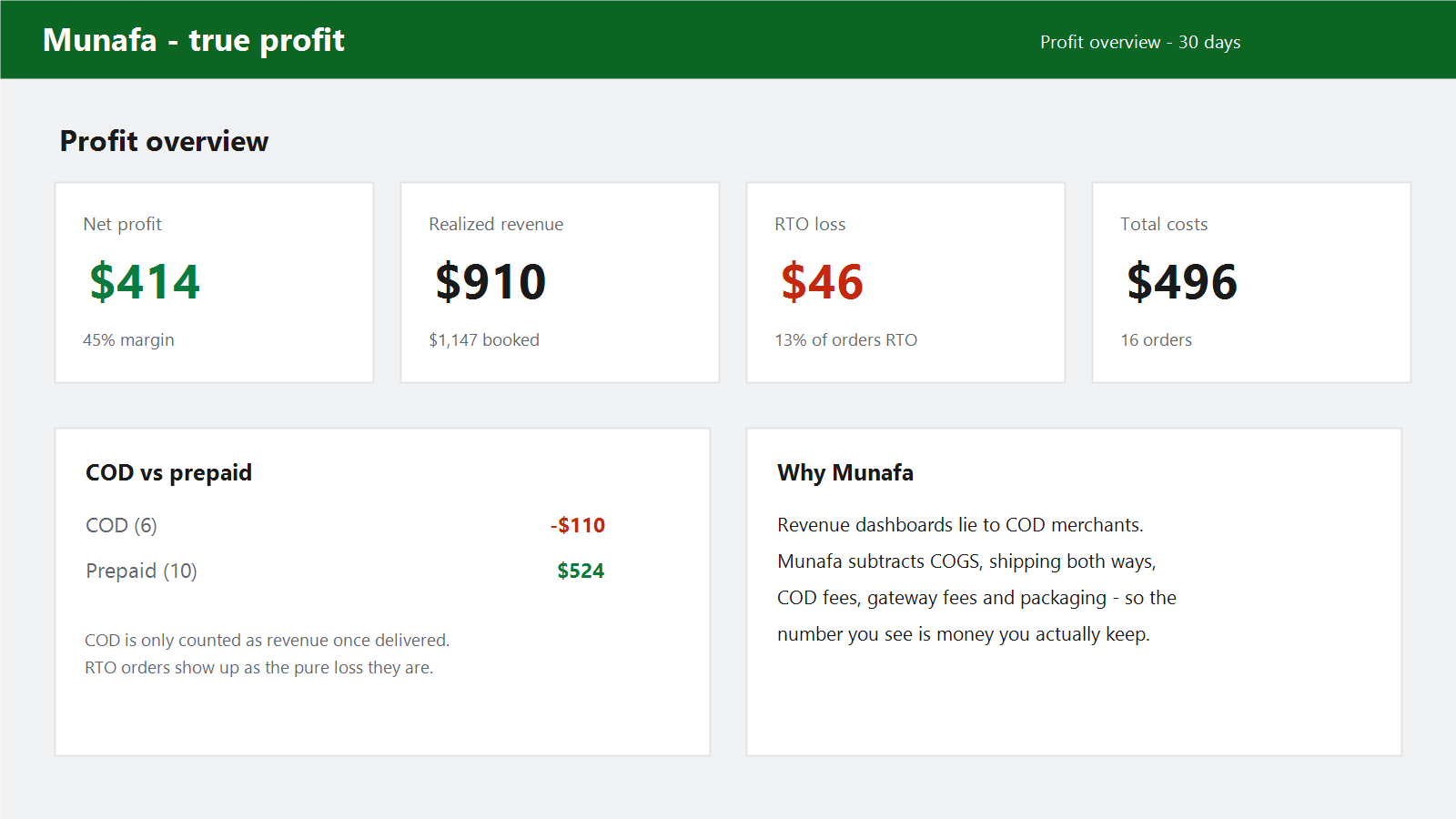
Munafa is a Shopify app that shows each recent order's revenue, true profit and margin inside Shopify admin. It subtracts product cost, using the Shopify cost per item where you recorded one and a default cost-of-goods percentage you set where you did not. It also subtracts forward shipping, packaging, the payment gateway fee as a percentage plus a flat amount, a fixed per-order overhead and, for cash-on-delivery stores, the COD fee and return shipping on returned-to-origin orders.
Shipping, packaging and fee amounts in Munafa are per-order values you configure from your own bills. They are not read from carrier invoices or Shopify payout records, so recheck them when your rates change. The current version does not include ad spend. Treat its numbers as a decision aid and reconcile them against your payouts and bills.
Sources and definitions
- Shopify Help Center: Profit reports, including cost per item and what profit reports include (checked October 6, 2026)
- Shopify Help Center: Getting paid with Shopify Payments, viewing payout fees (checked October 6, 2026)
- Shopify Help Center: Third-party charges on your Shopify bills, including third-party transaction fees (checked October 6, 2026)
- Shopify Help Center: Shipping labels in Shopify (checked October 6, 2026)
Related Shopify resources
Frequently asked questions
Is shipping charged to the customer part of revenue?
Yes. Count the shipping the customer paid in the order's revenue and subtract the label you paid. The difference shows whether shipping earns or costs you money on that order.
Should sales tax be included in profit per order?
No. Tax you collect for a tax authority is not your revenue. Exclude it from the order total and check the rules that apply to your store with a qualified adviser.
Should ad spend be part of profit per order?
Work out profit before marketing first, because it does not depend on how you allocate ad spend. Then compare it with what you paid to acquire the order, or with your break-even ROAS, as a separate after-marketing figure.
Does Munafa use my actual Shopify Payments fees and label costs?
No. Munafa uses the gateway fee, shipping and packaging values you configure in its settings. Set them from your payout fees and carrier bills, and reconcile periodically.